ComputerScienceExpert
$18/per page/
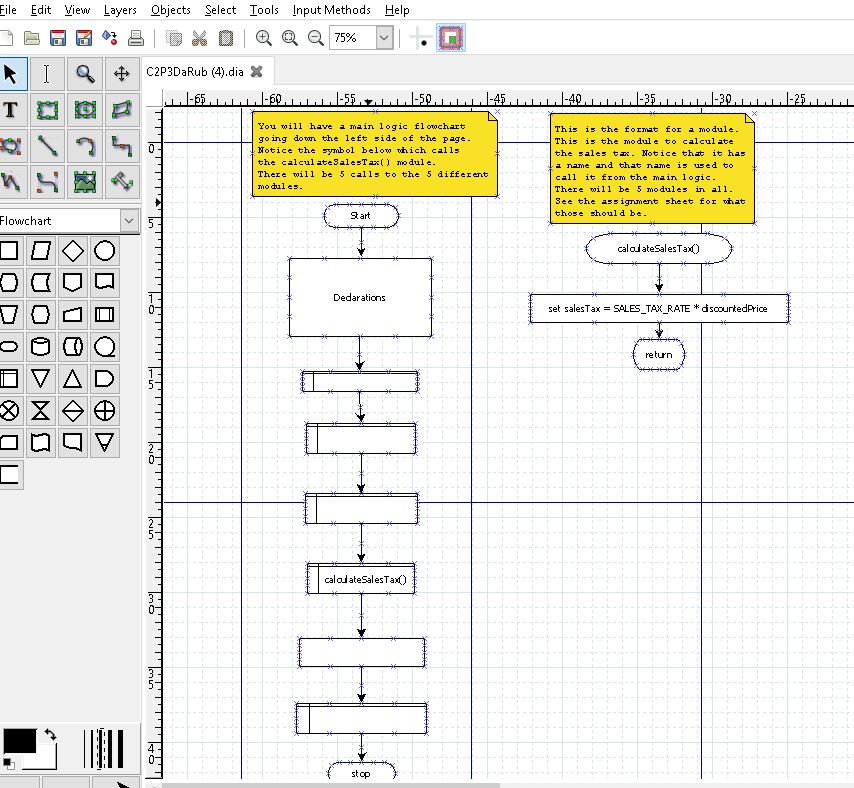
Description: Create a flowchart that will contain five modules, one to prompt the user to input the sales amount before discount andthe discount percent as a decimal, the second to calculate the amount of discount, the the third to calculate the purchase amount less the discount, the forth to calculate the sales tax on the net sale amount (sound familiar?), and the fifth to handle all of the output. See the output box below for what that should look like.
Declare your variables by type: num or string in a Declarations symbol. Show your input prompts and output labels in quotes.
| Every variable name you use in your flowchart will need to be declared at the beginning of the program logic in a processing symbol with the label "Declarations:". Look through your logic when you are finished and see if you have used any variable name that has not been declared. If a variable is used only in a module, you may declare it in the module in the same way you would in the main logic. |
| Assumption #1The sales tax amount is a constant in the program and does not need to be input. Just use a literal 0.06 in your calculation, or, you may declare a variable that is a constant and then use the variable in the calculation. |
| Assumption #2To make it simple, prompt the user for the discount percent as a decimal. Assume that the user has entered say .30 for 30%, and that it is in that form when you use it in your calculation. |
1.3. Specific Problem Requirements Summary
| You do not have to do the pseudocode for this problem, just the flowchart. |
Attachments: