ComputerScienceExpert

(11)

$18/per page/

About ComputerScienceExpert

Levels Tought:
Elementary,Middle School,High School,College,University,PHD

Expertise:
Applied Sciences,Calculus See all
Applied Sciences,Calculus,Chemistry,Computer Science,Environmental science,Information Systems,Science Hide all
Teaching Since: Apr 2017
Last Sign in: 103 Weeks Ago, 3 Days Ago
Questions Answered: 4870
Tutorials Posted: 4863

Education

  • MBA IT, Mater in Science and Technology
    Devry
    Jul-1996 - Jul-2000

Experience

  • Professor
    Devry University
    Mar-2010 - Oct-2016

Category > Programming Posted 25 Apr 2017 My Price 9.00

Three Web Pages with Hyperlinks

Lab Assignment 2: Three Web Pages with Hyperlinks 

Due Week 2 and worth 40 points

Deliverable: Three (3) Web pages (.htm)


Complete the weekly lab based on the following:


  • Write the code for each lab assignment.
  • The code is to be submitted in a single compressed folder (zip file) to the online course shell. The file must contain all .htm files, along with any other files that may be necessary for your project to run (ex: text files, images, etc.). 
  • When saving the file, it should be saved as Lab_2_Isaacs_J.htm. For example, if your name is Mary Smith the file for Lab 1 should be saved as Lab_1_Smith_M.htm
  • Any and all written answers must be entered into the online course shell with the submission of the attached lab assignment.

Follow the directions below to complete Lab Assignment 2:
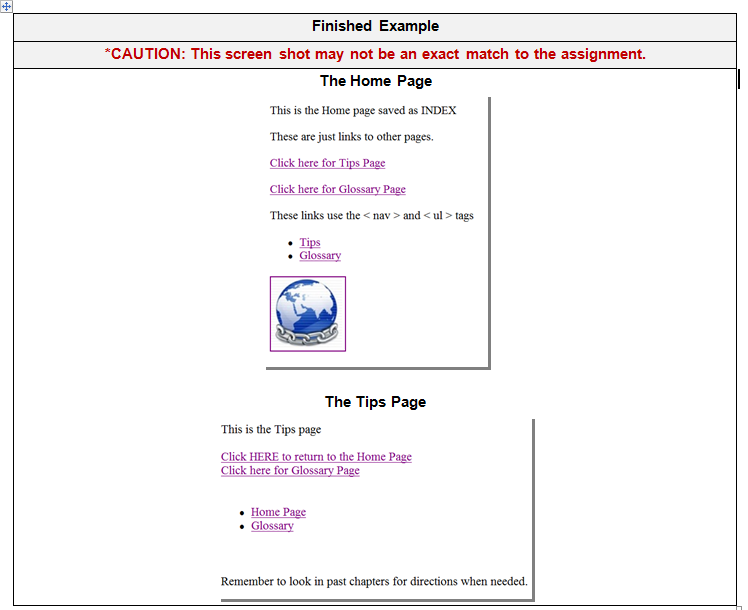
 

  1. Create three (3) Web pages: index.htm, tips.htm, and glossary.htm. Open and close all tags appropriately using the correct tags.
  2. Display your name in the title bar of the browser, declare the DOCTYPE for HTML5, and create a comment listing the lab number, the author, and the date.
  3. Create links on each page that link to the other two (2) pages.
  4. Create navigation links on each page that link to the other two (2) pages.
  5. On the home page, create an image linked to http://strayer.edu.
  6. Create alternate text for the image link that says “Strayer University.” 
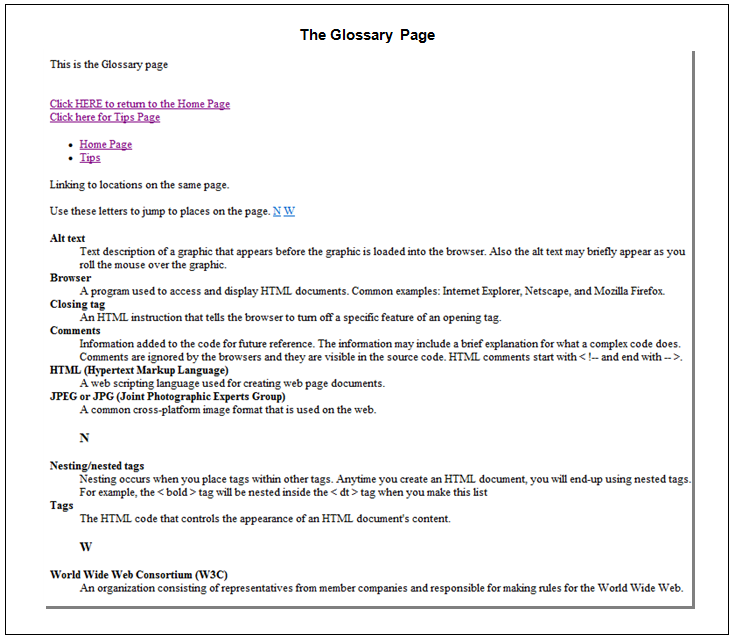
  7. On the glossary.htm page, create a definition list of at least five (5) terms and their definitions.
  8. In the definition list, create bold tags for the terms only (not the definition).
  9. Display the special characters “<” and “>” somewhere in the term definitions.
  10. On the glossary.htm page, create at least two (2) links to areas on the same page.

Lab_Assignment2.1.PNGLab_Assignment2.2.PNG

Attachments:

Answers

(11)
Status NEW Posted 25 Apr 2017 07:04 AM My Price 9.00

-----------

Attachments

file 1493106501-Solutions file 2.docx preview (51 words )
H-----------ell-----------o S-----------ir/-----------Mad-----------am ----------- Th-----------ank----------- yo-----------u f-----------or -----------you-----------r i-----------nte-----------res-----------t a-----------nd -----------buy-----------ing----------- my----------- po-----------ste-----------d s-----------olu-----------tio-----------n. -----------Ple-----------ase----------- pi-----------ng -----------me -----------on -----------cha-----------t I----------- am----------- on-----------lin-----------e o-----------r i-----------nbo-----------x m-----------e a----------- me-----------ssa-----------ge -----------I w-----------ill----------- be----------- qu-----------ick-----------ly -----------onl-----------ine----------- an-----------d g-----------ive----------- yo-----------u e-----------xac-----------t f-----------ile----------- an-----------d t-----------he -----------sam-----------e f-----------ile----------- is----------- al-----------so -----------sen-----------t t-----------o y-----------our----------- em-----------ail----------- th-----------at -----------is -----------reg-----------ist-----------ere-----------d o-----------n -----------THI-----------S W-----------EBS-----------ITE-----------. ----------- Th-----------ank----------- yo-----------u -----------
Not Rated(0)