Accounting,Algebra,Applied Sciences,Architecture and Design,Art & Design,Biology,Business & Finance,Calculus,Chemistry,Communications,Computer Science,Economics,Engineering,English,Environmental science,Essay writing Hide all
Teaching Since:
Jul 2017
Last Sign in:
340 Weeks Ago, 1 Day Ago
Questions Answered:
15833
Tutorials Posted:
15827
Education
MBA,PHD, Juris Doctor
Strayer,Devery,Harvard University Mar-1995 - Mar-2002
Experience
Manager Planning
WalMart Mar-2001 - Feb-2009
Category > Computer SciencePosted 21 Dec 2017My Price10.00
save the Tours4 database found in Doc Sharing
Need help with this assignment, and its due by this Sunday .4/16/17. Please help contact if you have any questions about the instructions/
Natalie's Tours
Download and save the Tours4 database found in Doc Sharing. Save it as Lastname_Tours.
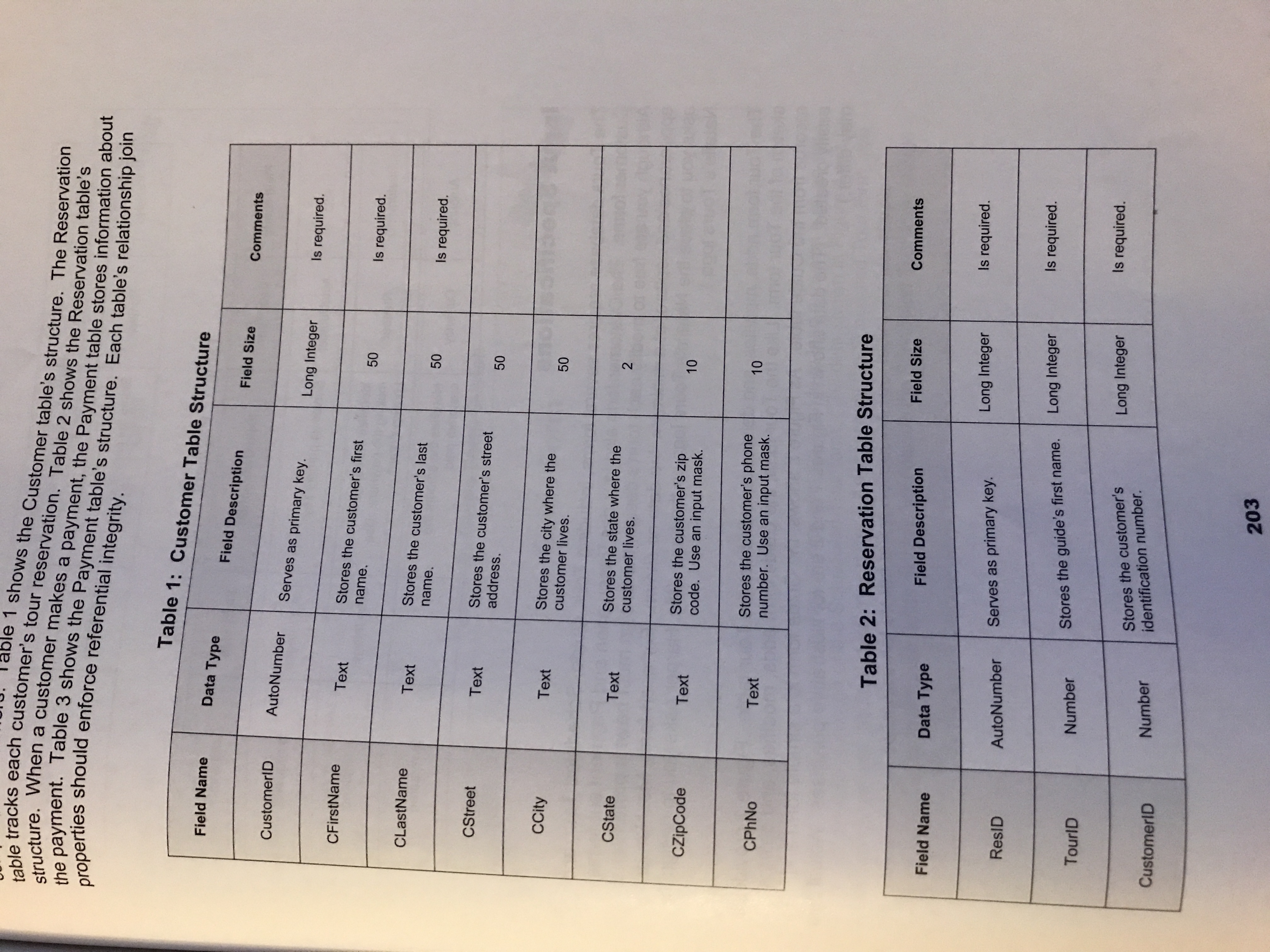
Create the tables shown on pages 203-204. Import the data from the ToursData spreadsheet into the tables.
Create your relationships.
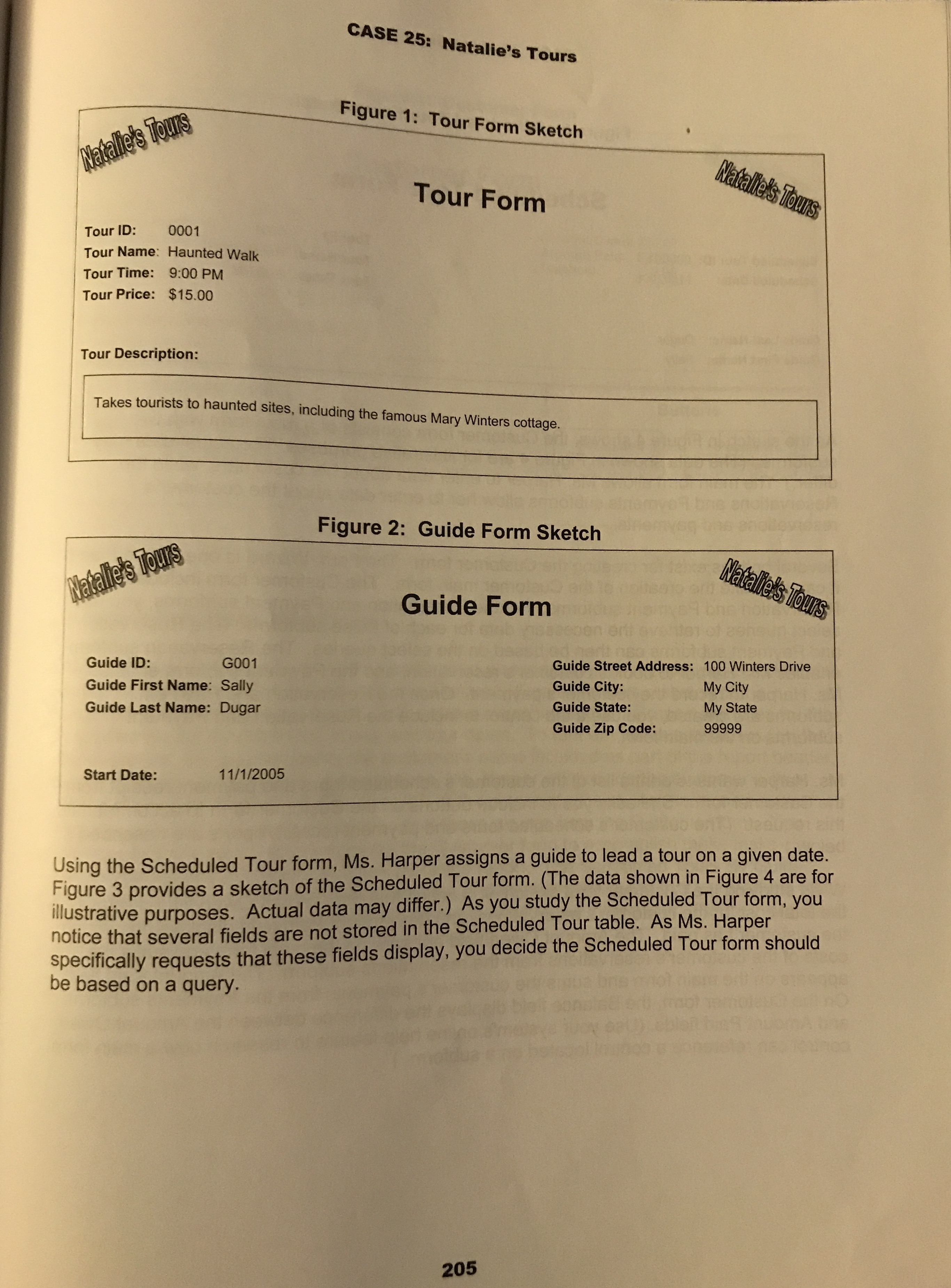
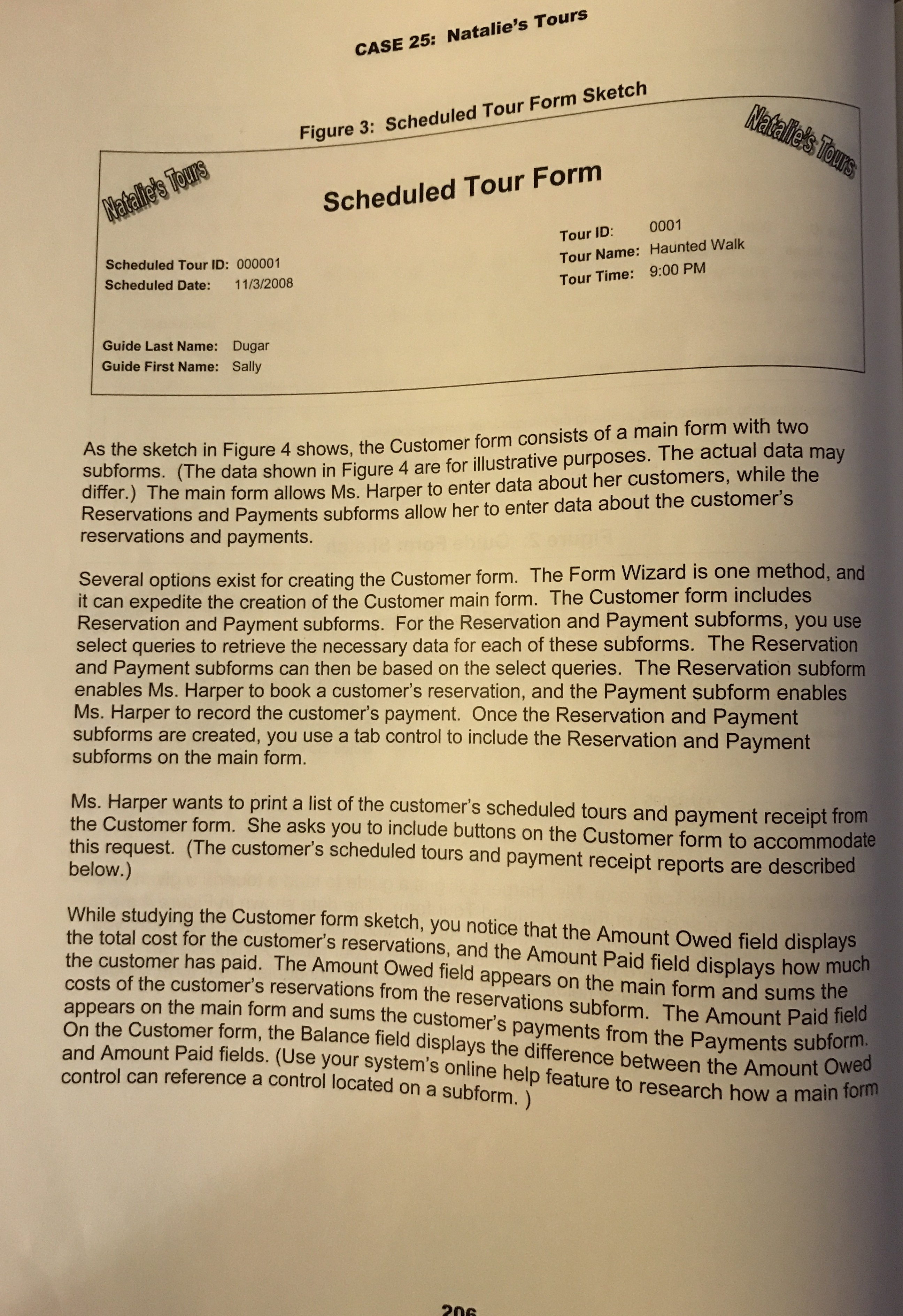
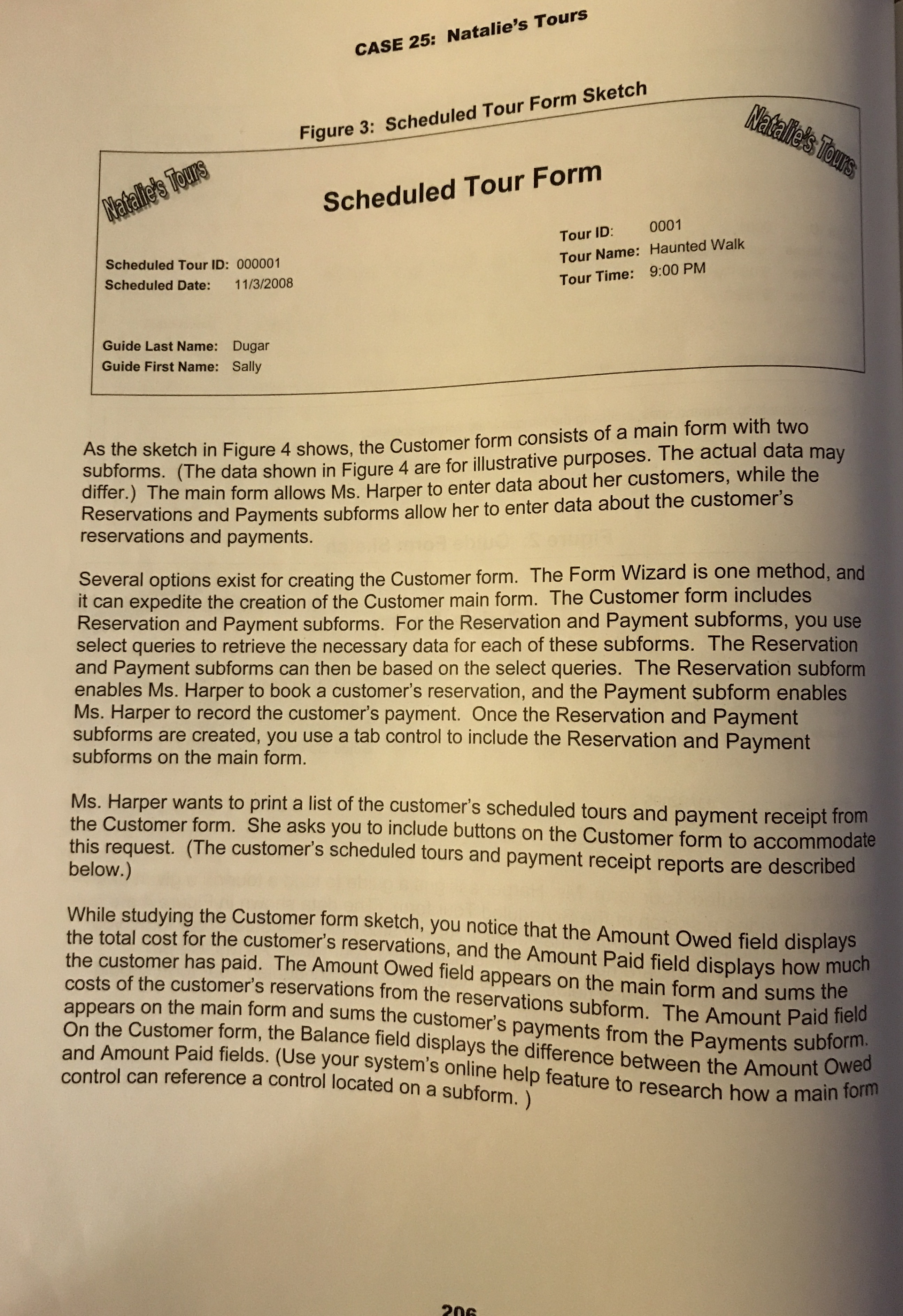
Create the Tour Form, Scheduled Tour Form and Guide Form. You can use the form wizard, then modify them in Design View.
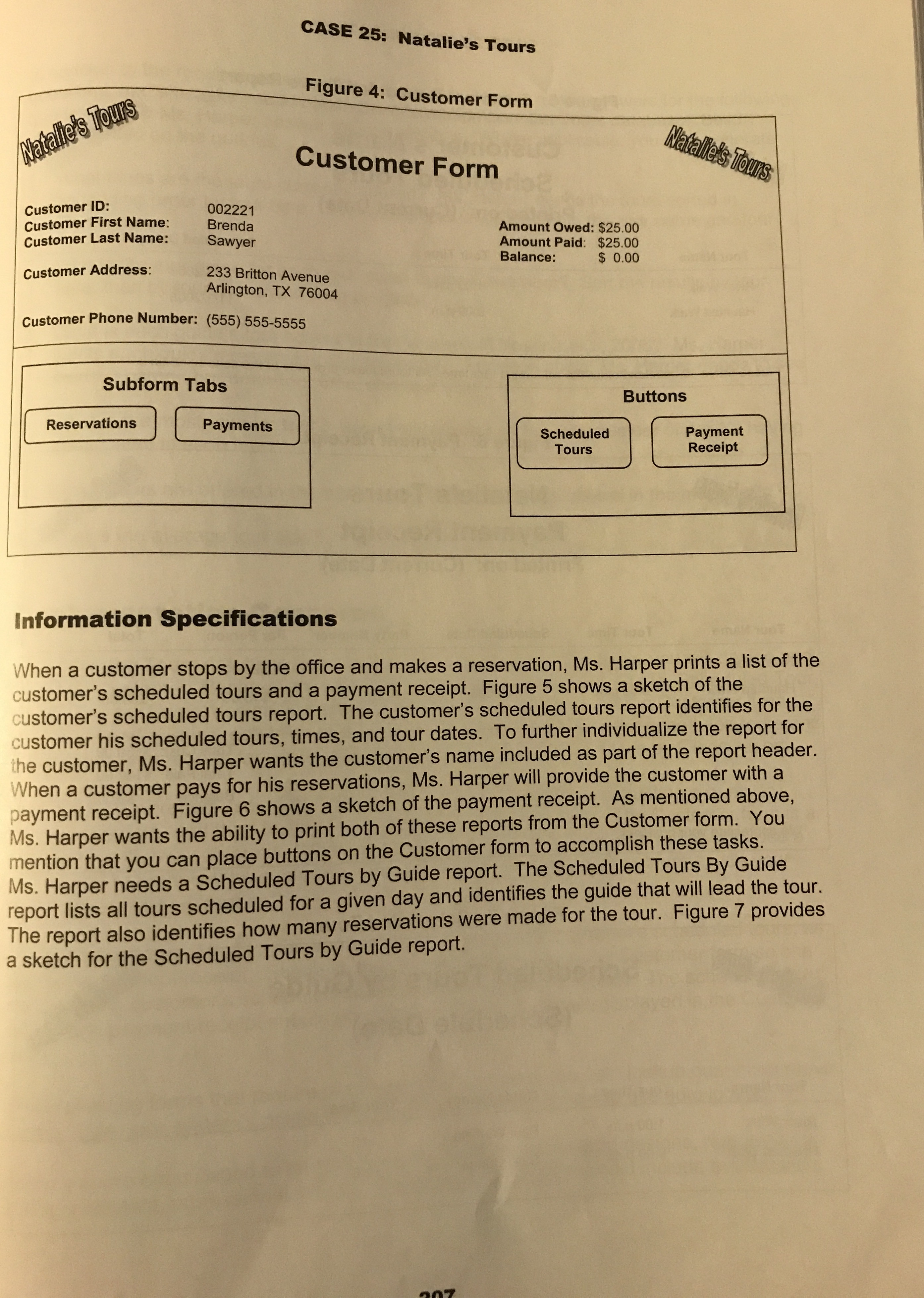
Create the Customer form with the form wizard. Create the subforms, Reservations and Payments. On the Customer form, insert the tab object and drag and drop your sub forms on the appropriate tab. To review: Multi-page form Tab Control. To add the totals to the main form from the subform, review here: Calculated Field from Subform
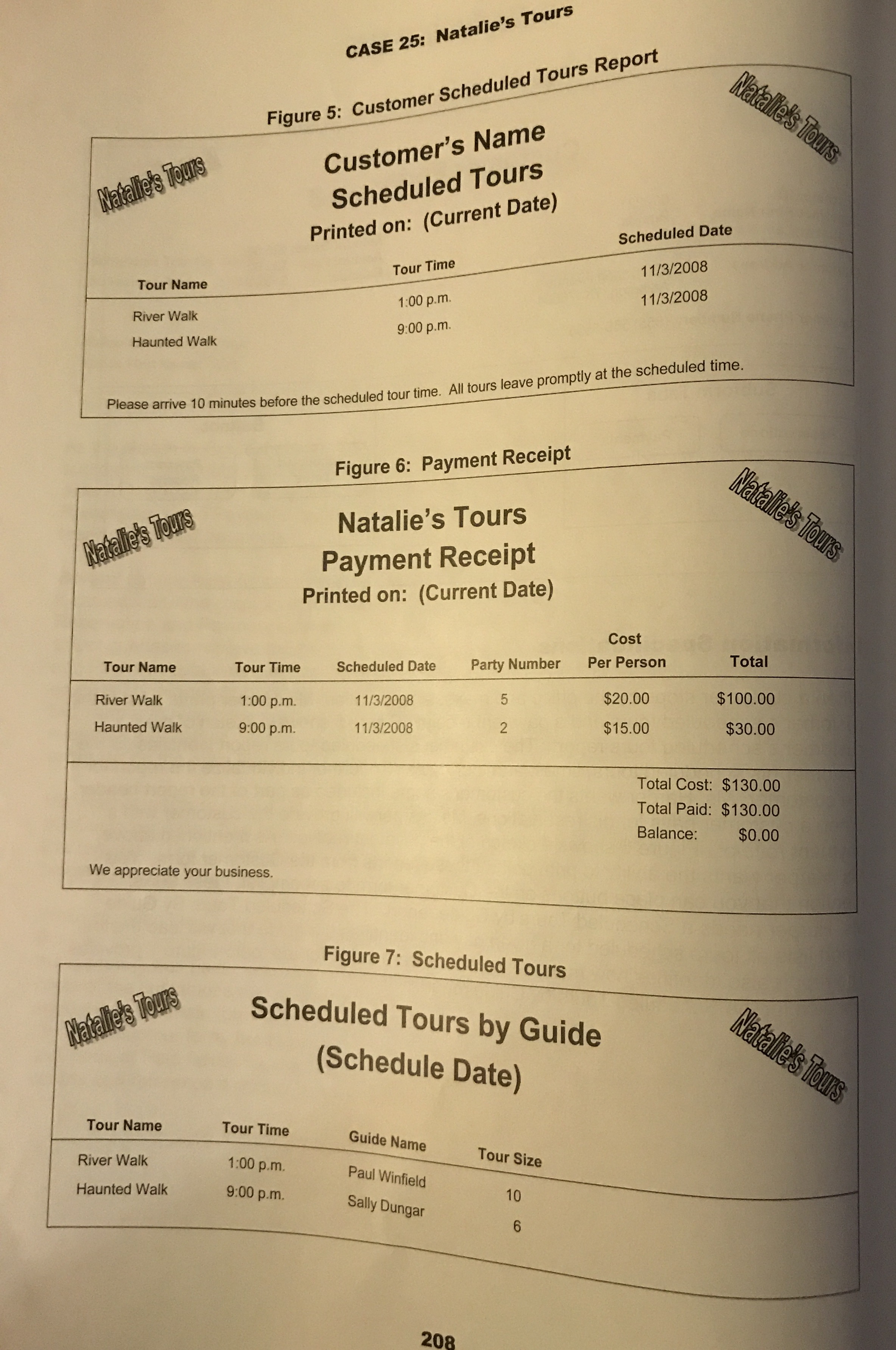
Create queries to build the Scheduled Tours and Payment Receipt reports. Build the reports.
Place the buttons on the form to print the schedules and receipts. When you place your buttons, cancel out of the wizard. For building the buttons and macros view here: Form Buttons and Macros
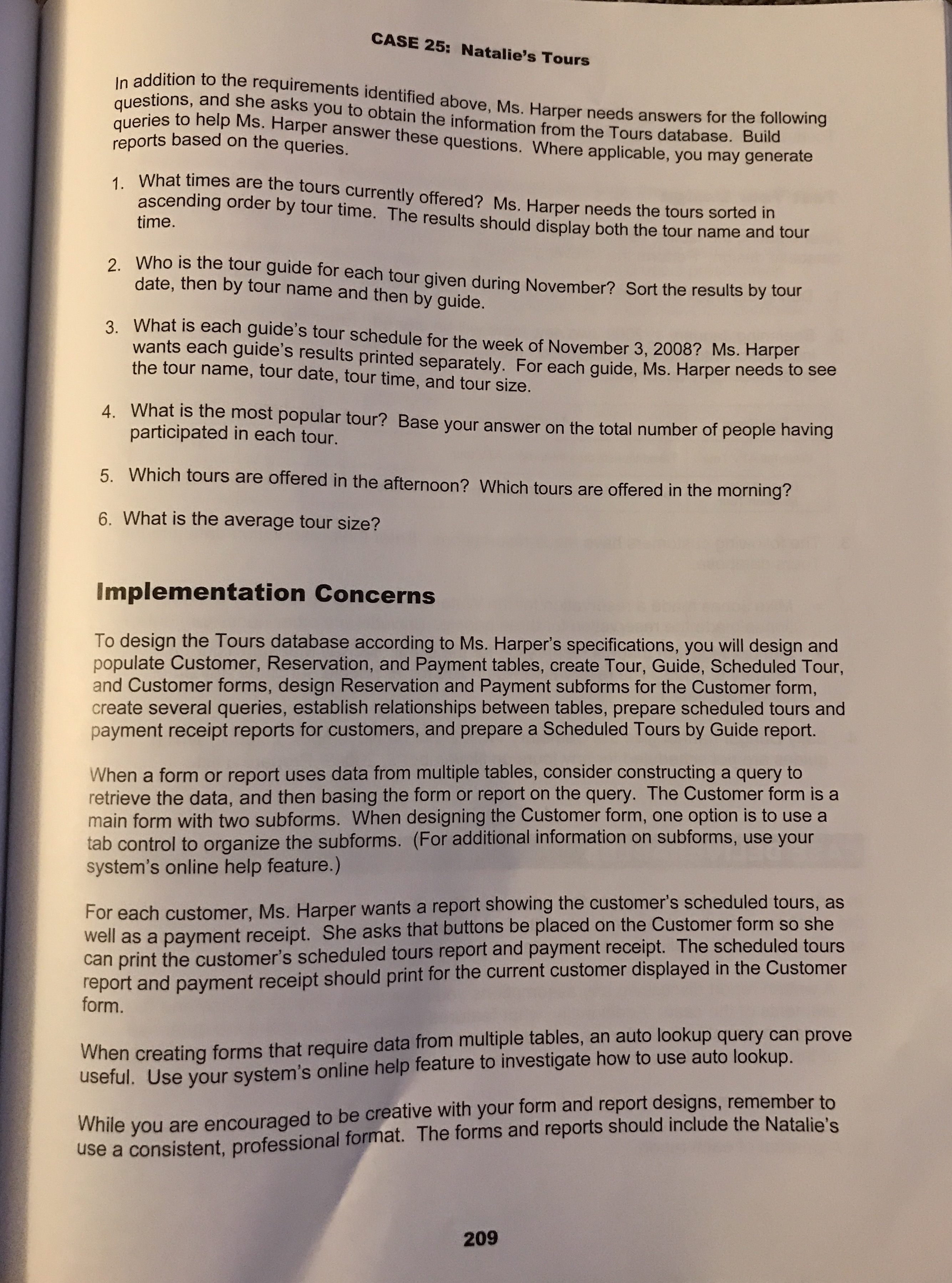
Queries, page 209.Build a select query, sorting by tour time.
Build a select query with criteria for >=#11/01/2008# and <=#11/30/2008#, two lines for your criteria.
Build a select query for the date November 3,2008 only.
You will need a sum of party number for the query number 4.
For query number 5, use a select query with a time criteria surrounded by #.
For the last query, you need to use the Average function.
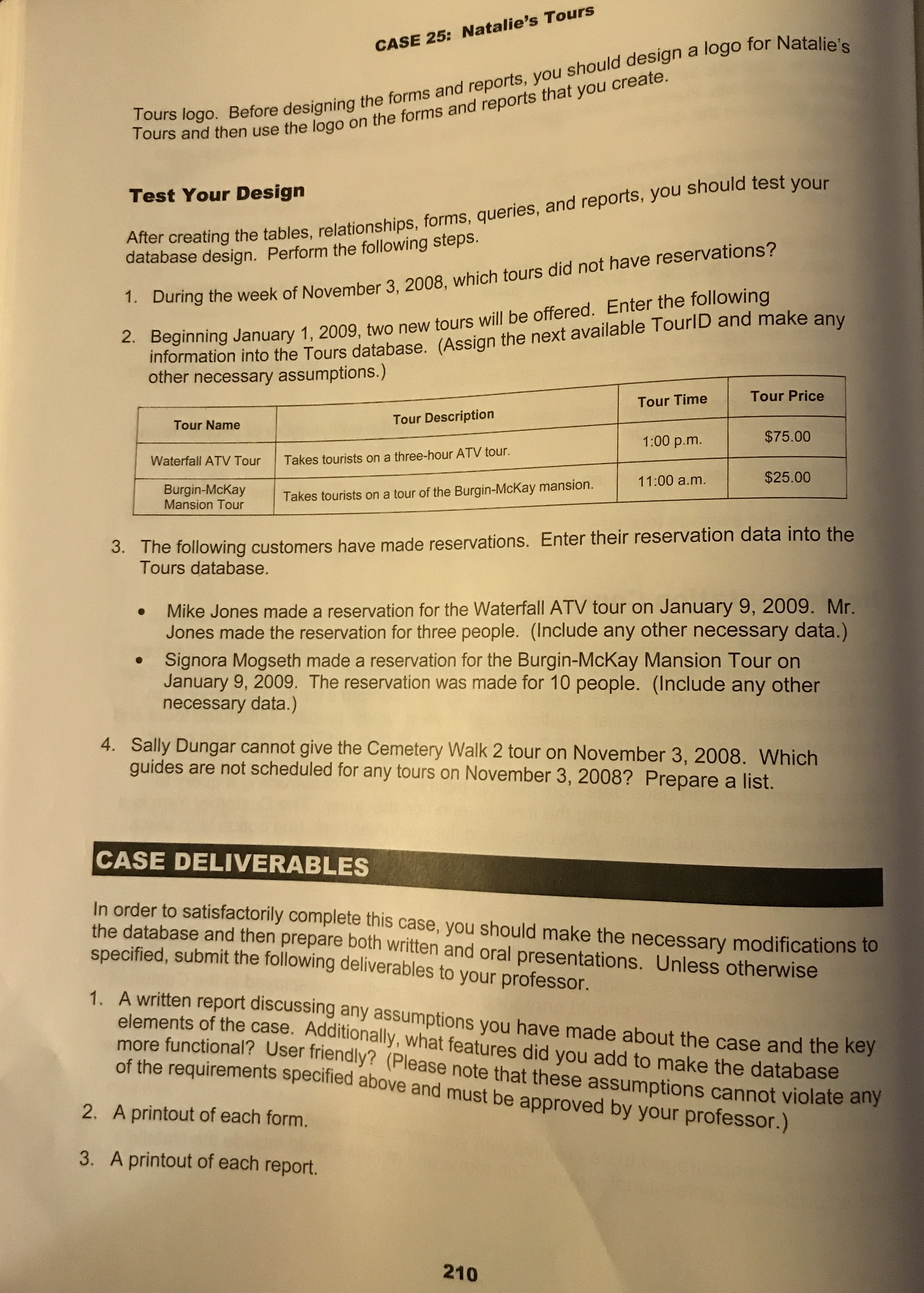
You don't need to test your design. Submit the database to the Tours drop box.